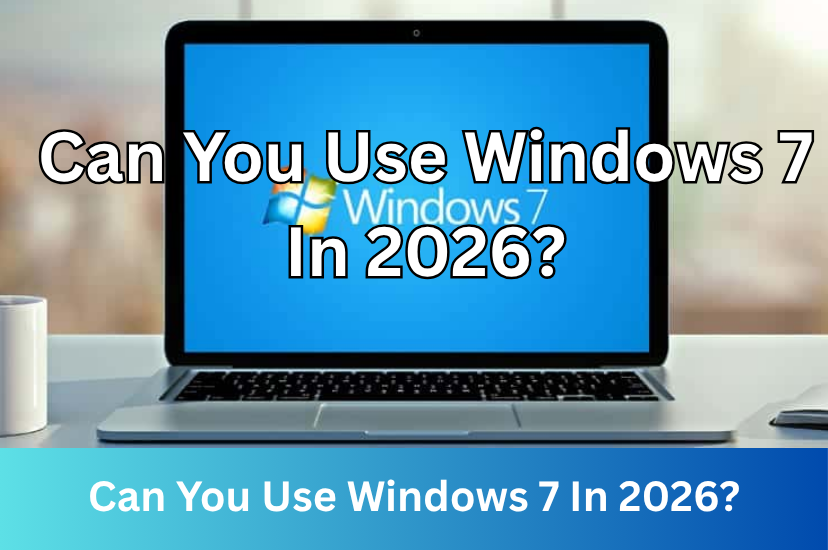
Can You Use Windows 7 In 2026?
Date First Published: 15th June 2026
While Microsoft hasn't provided official support for Windows 7 for years, some businesses and individuals still rely on it. As of 2026, it remains alive through specific user communities, retro gamers, and industries running older hardware. We will explore the current landscape of Windows 7 in 2026.
Who Is Still Using It?
Some people still use Windows 7. As of May 2026, its global market share is around 1.5%. While its usage has gradually declined since Microsoft ended support for it in 2020 and extended support in 2023, it has maintained a small market share of 1 to 3% in the last few years, which is still equivalent to tens of millions of PCs.
Enthusiasts often use older PCs running Windows 7 as dedicated computers to play classic games that struggle with modern Windows compatibility layers. They use Windows 7 to play classic titles that suffer from compatibility issues on the latest Windows versions. Many small-to-medium manufacturing plants and specialised labs, particularly in sectors, like healthcare and manufacturing, use expensive software created in the late 2000s. This software fails to run on newer versions of Windows and upgrading specialised hardware and proprietary software is often too expensive or complex.
Some users actively maintain Windows 7 desktops simply because they like the Aero visual era and prefer its simplicity and clean user interface over modern Windows 11 layouts. It also requires much fewer system resources than Windows 11. It doesn't have as many background processes as Windows 11 because it's not constantly syncing files to OneDrive, reporting usage habits to Microsoft, or running widgets and AI features, like Copilot in the background. Some people keeping computers manufactured between 2009 and 2014 alive find that Windows 7 runs much faster on limited system resources and slower processors, than Windows 11. However, receiving updates and running modern software on it is challenging.
The Software Support Challenges
Developers have faced massive technical and financial barriers to keeping their software compatible with Windows 7 due to the lack of official support from Microsoft and missing frameworks that require Windows 10 or 11 system components. Modern software increasingly doesn't support Windows 7, turning the operating system into an isolated platform frozen in time.
Major browsers like Chrome and Microsoft Edge ended their support back in February 2023. Firefox stopped providing new features for Windows 7 in July 2023, but it still provides security updates through the extended support release program, which it has extended many times. Its support is scheduled to officially end in August 2026, so by late 2026, there will be no mainstream browsers that still support Windows 7. While older versions of these browsers will continue working, they no longer receive any updates. Eventually, websites may refuse to load or display connection errors because the 2023 browser doesn't support the technologies the website uses. However, independent open-source developers backport modern browser engines to run natively on Windows 7. For example, Supermium allows Windows 7 users to render the latest web standards, sign into Google Accounts for syncing, and install up-to-date Chrome Extensions safely. Redfox is a community-modified variant of modern Firefox explicitly optimised to run on Windows Vista, 7, and 8. While these browsers receive updates, they're maintained by a small community of developers rather than a large company. Some people wouldn't trust using a browser maintained by a small community, especially for sensitive tasks.
Modern apps like Zoom, Steam, Slack, and Discord can't be installed on standard Windows 7 builds anymore. Trying to install them results in installation errors or outright software locks. Most modern desktop apps are not built from scratch. They're essentially self-contained web browsers built on Google's open-source Chromium engine. Once Chrome dropped Windows 7 support, every app built on top of that framework was forced to drop it as well.
Community Updates
Because Microsoft completely ended official support years ago, the community has taken matters into its own hands. Developers and enthusiasts have released unofficial, custom-patched Windows 7 installation files. These packages integrate past updates, hardware drivers, and browser components. You can download the complete archive of final updates and revive the Windows Update service using the Legacy Update tool. For security updates after 2020, the community used the Bypass ESU Tool to enable Extended Security Updates.
Technical hobbyists managed to stretch security updates until January 2026 by bypassing Microsoft's update framework to pull ESU originally intended for Windows Server 2008, though these updates have now permanently stopped.
Security Risks
Windows is the most targeted operating system for viruses and malware and hackers constantly discover new security flaws in Windows code. While Microsoft patches these for Windows 11, Windows 7 remains permanently unpatched, leaving open doors for hackers. Since major browsers like Chrome and Edge no longer update on Windows 7, they can't patch web-based exploits. While it's unlikely that your computer will get a virus the second you connect to the internet, using Windows 7 for online activities is much riskier than Windows 11 or lightweight Linux distributions, like Linux Mint or Lubuntu. Visiting a compromised website can result in a drive-by download, where malware downloads and installs itself automatically without your consent. Once malware manages to exploit vulnerabilities in a legacy operating system, like Windows 7, it can sit silently in the background, logging keystrokes and capturing sensitive data without ever alerting you.
Many major third-party antivirus providers, like Avast and AVG still actively support Windows 7 and provide malware definition updates, helping to protect against threats. However, because Microsoft completely ended the operating system's support, an antivirus can't protect against deep-level system vulnerabilities.
To be completely safe from malware, people often recommend using Windows 7 in an offline environment or on a virtual machine, though this will severely limit what you can use the operating system for. If you must access the internet on Windows 7, we recommend disabling unnecessary services, like file sharing, remote desktop, and network discovery. You should avoid mainstream browsers, like Chrome, which haven't been updated for years, and use alternative community-maintained browsers that support Windows 7, like Supermium or Redfox. Protecting your browser with ad-blocking extensions, such as uBlock Origin, and not using it for sensitive tasks which require secure access, like online banking can greatly reduce the risks of being compromised. Since many antivirus programs still work on Windows 7, you should install a reliable antivirus program and keep it updated.
Alternatives To Windows 7
Using Windows 7 in 2026 is technically possible, but for everyday use, we would consider it impractical and unsafe. If you’re trying to breathe life into Windows 7 era hardware, the good news is you’ve got much better options than clinging to Windows 7 itself. The trick is to pick something lightweight, still supported, and compatible with modern browsers. There are many lightweight Linux distributions available to restore older hardware. Linux Mint XFCE is very beginner-friendly and feels familiar if you're used to Windows 7. It can run well on 4 GB RAM or even 2 GB and fully supports Firefox. Lubuntu is one of the lightest mainstream Linux distributions which uses the LXQT desktop. This is even lighter than XFCE and good for computers with 2 GB RAM or less. It's slightly less polished, but still fast.
For very limited hardware with 1 GB RAM or less and 32 bit processors, AntiX and Puppy Linux are great choices. They don't rely on system D and rely on lightweight Window managers instead of heavy desktop environments. However, because they're so minimal, the user interface can feel a bit rough, and it requires a slight learning curve compared to mainstream distributions like Linux Mint or Lubuntu. Puppy Linux has a tiny footprint and runs from your RAM, making it very fast, but it's less conventional and takes time getting used to. It's mainly designed as a Live USB system. You boot directly from a USB stick or CD, and when you shut down, you choose whether to save your session to a file on that drive.
Comments
About Us
-
We offer guides, tutorials, and reviews about the world of information technology. Whether you're a tech enthusiast, a professional, or a beginner, our goal is to inspire you and guide your tech journey. Subscribe to stay updated with the latest videos and explore the exciting world of computing and information technology.
Recent Articles




Recent Quizzes

Subtopics
Network Services Network Setups Network Standards Network Hardware Network Identifiers Network Software Internet Protocols Internet Organisations Data Transmission Technologies Web Development Web Design Web Advertising Web Applications Web Organisations Web Technologies Web Services SEO Threats To Systems, Data & Information Security Mechanisms & Technologies Computer Hardware Computer Software Ethics & Sustainability Legislation & User Data Protection