The Windows 11 Bloatware Problem - Why Has Windows Become So Bloated?
Date First Published: 30th July 2026
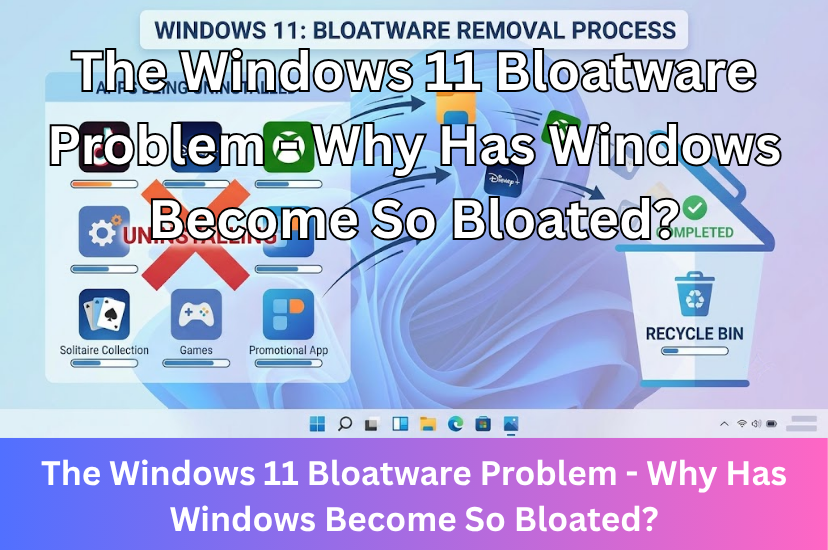
Windows has grown heavier over time and consumed more RAM and storage space due to aggressive service monetisation, AI and cloud integrations, and bundled third-party apps pre-installed by the manufacturers, which have frustrated users. In this video, we will explain why this bloatware happens and whether it can be removed.
Is Windows 11 Heavier Than Windows 10?
Because of background services, heavier animations, and transparency effects in the updated user interface, Windows 11 generally uses more disk space and RAM than Windows 10. Many pre-installed bloatware including both third-party apps installed by the manufacturers, like McAfee antivirus, and Microsoft apps you don't use, like Copilot, OneDrive, and Microsoft 365 can be removed in the System settings. But, you may need to remove them again after updating your system because future system updates will often bring back removed Microsoft apps.
Third-party installation images, like Tiny11 can strip out bloatware by removing pre-installed apps, telemetry, and system requirements to create a slimmed-down operating system. It keeps only core utilities like the Microsoft Store, Calculator, Notepad, Paint, and Windows Security, and it can lower the RAM and disk space usage a lot. When a brand new version of Tiny11, such as a newer 26H2 revision releases, you generally have to back up your data and perform a clean install of the new ISO rather than upgrading in place.
What Has Caused Windows 11 To Become Bloated?
The main culprit behind modern Windows 11 becoming so bloated isn't that rendering a desktop has gotten harder. It's the relentless push for background services. Microsoft has heavily integrated local AI features, like Copilot, constant cloud synchronisation, news feeds, widget boards, and aggressive telemetry that tracks your typing habits and app usage.
These features run as separate, permanent background processes. Even if you're just typing a letter or checking an email, they constantly sit in your RAM, waiting to be used. On a fresh boot, Windows 11 can easily consume several GB of RAM before you've opened any apps. This frustration is exactly why many people are using tools to debloat Windows 11 and turn off unwanted system features or switching to Linux distributions, which offer much more customisation over the system.
AI Integration and Cloud Syncing
The biggest factor towards the system bloat of Windows 11 is local AI. Features and runtime components like Copilot processes, large language models, and the Windows Recall feature, which takes screenshots in the background, require massive amounts of memory to sit idle. Because of this, Microsoft has already started pushing the system requirements for their AI-integrated PCs, like the Copilot+ PC standard to a strict minimum of 16 GB of RAM.
Even if you don't use them, Microsoft has integrated it into its parts of its system, reserving memory for them so they feel instant if you decide to use them. Pushing AI hooks into built-in apps, like Notepad, Paint, Photos, and the Snipping Tool turns simple utilities into heavy packages and feel more like a baseline expectation rather than an optional add-on. This has led to user backlash, which has prompted Microsoft to scale back aggressive AI integrations and re-evaluate system bloat.
Constant Telemetry, Ads, and Data Collection
You may have also noticed an increase in the number of ads and suggested apps in the start menu. Windows 11 behaves less like a local tool and more like a monetisation and advertising platform. On startup, it runs several background services dedicated to logging your app usage and system diagnostics, which are packaged and queued to send to remote servers. While the actual telemetry and data collection processes are not very heavy on system resources, you can't fully opt out of it. You can stop optional data tracking and turn off background telemetry services in the system settings, but Windows will continue to send basic Required diagnostic data back to Microsoft to maintain system stability and Microsoft hasn't fully explained what goes into the Required data.
Web-Tech Apps (Electron and Webview)
Because modern computers can come with massive amounts of RAM, including 16, 32, or even 64 GB, optimisation has gotten lazy. Many apps, like the widgets board, Microsoft Teams, WhatsApp, Clipchamp, and the Weather app are no longer written in native, efficient code. They're now built on the Electron framework, which launches a full web browser engine. For example, Microsoft replaced the built-in Calendar, Mail, and Contacts apps on Windows 10 with the Outlook app in early 2025, which now uses heavy web wrappers instead of the lightweight native code it used to use.
When you have multiple hidden browsers running in the background just to show you your emails and the weather, it fills up your RAM very fast. It essentially takes a simple app that should use around 60 MB RAM to around 400 MB. This does save development time and web apps are easier to maintain across multiple platforms, but embedding a full browser engine into every application is very inefficient when it comes to system resources.
Virtualisation-Based Security
Windows 11 turns virtualisation-based security and Memory Integrity on automatically for fresh installations to protect against kernel-level malware. While this makes it more secure and we would recommend it if you handle sensitive data on your computer, it does introduce a performance penalty, especially on processors that don't support hardware acceleration for the feature, including Intel 6th generation and below. It can create noticeable slowdowns on apps, like PowerPoint and Excel and drops in game frame rates when turned on. This can be turned off in the Windows settings by toggling off Memory Integrity because it's not strictly required to boot Windows 11.
Legacy App Compatibility
To ensure that Windows 11 can run a program from the late 1990s or the 2000s, it must carry forward thousands of legacy system files, dynamic link libraries, and old application programming interfaces. Today, Windows 11 still relies on foundational APIs and architecture written in the 1990s because millions of enterprise and consumer programs depend on them to function. While this does ensure backwards compatibility with older third-party software, storing thousands of older interface hooks adds several gigabytes of inactive data to your hard drive storage.
Cached Apps
Windows 11 treats empty RAM as wasted RAM. To make the system feel faster, Windows 11 pre-loads apps and caches data more eagerly into system memory. The background tool essentially learns which apps you use the most and loads them into your RAM. While this can make apps load instantly when you click them, this aggressive preloading can cause a shortage of free memory, leading to slowdowns.
The 16-32 GB RAM Illusion
The tech industry likes to push the illusion that 8 GB RAM is completely obsolete and that basic computing now requires absurd local hardware baselines, like 16 to 32 GB RAM and a neural processing unit just to render a desktop, open a few tabs in a web browser and check your emails.
Heavy tasks, like 4K video editing, modern 3D gaming, or running a lot of intensive apps at once may require 16 to 32 GB GB RAM, but in reality, the actual pixels and text on your screen don't require more processing power today than they did 10 years ago. The tracking, advertising scripts, and AI features do. When a corporate post says that 16 GB is recommended for basic use, what they actually mean is that 16 GB is required to run their monetisation, tracking, pre-installed bloatware, and local AI models in the background while leaving you enough room to open a browser. It can convince many people that their computer is slow just because it's old, when the hardware hasn't degraded. The software has just become bloated and unoptimised. Debloating your system by removing apps you don't use or considering alternative installations which remove bloat, like Tiny11, can significantly reduce RAM usage.
Comments
About Us
-
We offer guides, tutorials, and reviews about the world of information technology. Whether you're a tech enthusiast, a professional, or a beginner, our goal is to inspire you and guide your tech journey. Subscribe to stay updated with the latest videos and explore the exciting world of computing and information technology.
Recent Articles



Recent Quizzes
Subtopics
Network Services Network Setups Network Standards Network Hardware Network Identifiers Network Software Internet Protocols Internet Organisations Data Transmission Technologies Web Development Web Design Web Advertising Web Applications Web Organisations Web Technologies Web Services SEO Threats To Systems, Data & Information Security Mechanisms & Technologies Computer Hardware Computer Software Ethics & Sustainability Legislation & User Data Protection