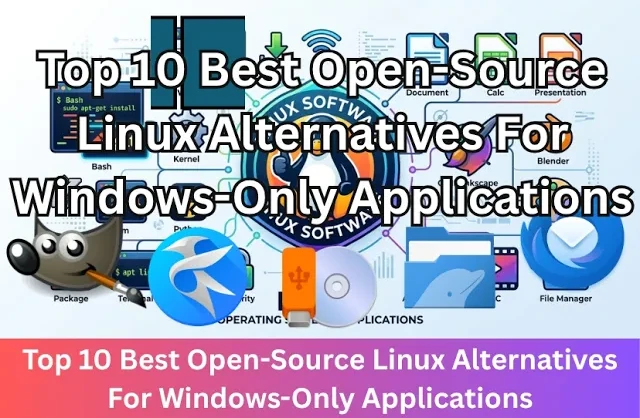
Top 10 Best Open-Source Linux Alternatives For Windows-Only Applications
Date First Published: 7th September 2026
Are you looking to move away from proprietary software without losing the tools you need? In this video, we will explore the top 10 best open-source Linux alternatives for popular Windows-only applications. Whether you need a video editor, a word processor, or creative software, all of these open-source options run natively on Linux without requiring any complex workarounds.
1. Notepad++/Kate
Notepad++ is a great text editor, but it doesn't yet have a native Linux version because it relies on frameworks specific to Windows. You can emulate it using a compatibility layer, but there are better alternatives available. For most everyday text editing and coding tasks, the Kate text editor can replace Notepad++. It offers syntax highlighting, lets you open documents in more than one tab, and has a powerful find and replace tool that lets you search for text and replace it. It starts up quickly and uses much fewer system resources than heavy integrated developer environments, like Visual Studio Code. It also supports plugins to add features, like a built-in terminal.
2. Microsoft Office/LibreOffice
If you just need to edit documents, spreadsheets, and presentations in Linux, LibreOffice can easily replace Microsoft Office. There are six main programs in LibreOffice, which match the core features of Microsoft Office programs. It's fully open-source, requiring no subscriptions, and it can open and edit Microsoft Office file formats. It respects your privacy and works offline. Instead of forcing cloud storage or unwanted AI features, it stores files locally on your device. But, if you want cloud integration, you can install a desktop sync client for a provider like Dropbox and save your files into that local folder.
3. Rufus/Impression
Rufus doesn't run on Linux because it relies on system libraries exclusive to Windows. However, Impression can replace Rufus for basic disk image flashing. It can write bootable images to USB drives, including Linux distributions. It's a simple three-step process to flash the USB drive. You have to pick the image file, select the USB drive, and click Flash. There's less clutter, but it lacks some advanced formatting options, like partition schemes. It even lets you browse and download popular Linux distributions directly from its dashboard before flashing. This tool doesn't come pre-installed on most Linux distributions, but you can install it on almost any distribution using Flathub.
4. Snipping Tool/Spectacle
If you use the KDE Plasma desktop environment, Spectacle will be pre-installed. Just like the Snipping tool, you can select a custom area of the screen or your entire screen, and it includes built-in tools to annotate the screenshot with arrows, text, and highlights before saving it. You can also configure it to automatically copy the captured image straight to your clipboard to paste it into a document. If you want to capture pop-up menus or tooltips, you can set a timer delay. Spectacle also has a screen recorder, which lets you select a rectangular area of the screen or your whole screen and record it. To stop the recording, click on the Red icon in the taskbar or press the Meta + R key.
5. Adobe Premiere Pro/Shotcut
For simple video editing, Shotcut is a great choice. It's open-source, includes support for hundreds of audio and video codecs without conversion and has a proxy editing workflow for HD and 4K editing. It comes with a lot of built-in tools for video editing, including transitions and filters, which let you add zoom effects, blurring, and colour correction. You can easily drag and drop video and audio clips to put together videos and export them with no hidden watermarks or time limits. It doesn't support as many features as Adobe Premiere Pro and it can't natively open Premiere Pro's project files, but it's a great tool for beginners. Shotcut takes up a fraction of the disk space that Premiere Pro requires and can run much better on older or low-spec hardware without lagging, but the resource usage depends on whether you choose to edit in HD or 4K.
6. Adobe Photoshop/GIMP
If you need to do standard editing tasks, like cropping, resizing, and retouching images, GIMP can handle this. Unlike proprietary software, like Adobe Photoshop, it's completely open-source, which saves you from monthly subscription fees. Because Adobe doesn't make a native Linux version of Photoshop, GIMP is the default open-source alternative. It's much more advanced than simple image editors, like Microsoft Paint, because it supports multiple layers and professional adjustment tools, like colour balance and transparency adjustments. It effectively functions as a full raster graphics editor.
7. Adobe Illustrator/Inkscape
For Linux, Inkscape is a great open-source alternative. It's capable of most vector graphic tasks, including logo design and illustrations. It's very feature-rich with tools for drawing, shape creation, and advanced text manipulation. It uses the scalable vector graphics format and has a massive library of community driven extensions that lets you add specialised functionality. Because it lacks heavy background processes or launch software like Adobe Creative Cloud, it's less resource-intensive and better for lower-end hardware.
8. File Explorer/Dolphin File Manager
The Dolphin file manager is the equivalent to the Windows File Explorer in KDE Plasma. It can easily handle file management and the layout is familiar. It includes a sidebar so you can quickly access your home folder and drives, and the address bar lets you type file paths directly. It's even more feature-rich and customisable than the Windows File Explorer. You can split a single window into two panels to drag and drop files easily, press F4 to open a terminal window, and reconfigure toolbars and right-click menus, which goes beyond tabbed browsing. This file manager is not exclusive to KDE Plasma. You can install and run it on other Linux desktop environments like gnome or XFCE.
9. Microsoft Outlook/Thunderbird
Thunderbird comes pre-installed on most Linux distributions. It combines email, a calendar, and task management, and it can connect to Microsoft 365 and Exchange accounts. When you open it, it includes a message list and reading area similar to Outlook. Unlike the Outlook app, Thunderbird stores your emails locally on your computer and gives you direct control over your storage. Because the Windows Outlook app is built on the Electron framework, it's like opening a full Microsoft Edge window where every open tab or background reminder spins up separate processes. Thunderbird is efficient and doesn't require a heavy browser framework to function. You can also install extensions and colour themes, which lets you customise its appearance and add extra features.
10. Windows Disk Management/GParted
GParted is the main partition manager on Linux. It has a graphical interface and it can create, delete, or resize partitions across supported formats. Unlike Windows Disk Management, which can only change the size of a partition if the empty space sits right next to it, G Parted can move the location of an existing partition on the disk. You can safely inspect drives, format unmounted secondary data disks, or partition external USB drives while your operating system is running. But, you can't make changes to the main system partition while you're booted into the same operating system. To change the main system partition, you will need to flash Gparted onto a USB drive and boot from it.
Comments
About Us
-
We offer guides, tutorials, and reviews about the world of information technology. Whether you're a tech enthusiast, a professional, or a beginner, our goal is to inspire you and guide your tech journey. Subscribe to stay updated with the latest videos and explore the exciting world of computing and information technology.
Recent Articles
Recent Quizzes
Subtopics
Network Services Network Setups Network Standards Network Hardware Network Identifiers Network Software Internet Protocols Internet Organisations Data Transmission Technologies Web Development Web Design Web Advertising Web Applications Web Organisations Web Technologies Web Services SEO Threats To Systems, Data & Information Security Mechanisms & Technologies Computer Hardware Computer Software Ethics & Sustainability Legislation & User Data Protection