Is Arch Linux Worth It?
Date First Published: 26th July 2026
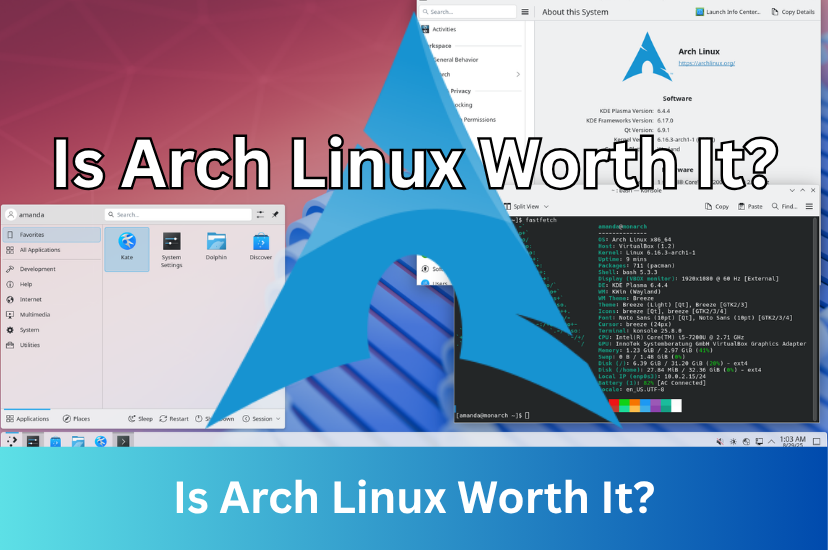
Are you considering installing Arch Linux? It's ideal for advanced users and learners who want full control, but it's not like a simple-maintenance free Linux distribution, like Linux Mint or Ubuntu. In this video, we will explore the pros and cons of Arch Linux, and whether it's a suitable operating system for you.
Full Customisation
Arch Linux is one of the most customisable Linux distributions, starting as a bare-bones command-line base where you choose every single component, from the kernel and drivers to the desktop interface. You essentially build the system from the ground up instead of removing unwanted pre-installed apps. You can pick any desktop environment like KDE Plasma, or use a lightweight tiling window manager like i3 or Hyprland. Unlike pre-built systems, it starts as a blank command-line base so you pick every part.
Rolling Release
Arch Linux is a rolling-release distribution. This means that instead of receiving major version upgrades or fixed point releases like Ubuntu or Linux Mint, you install it once and continuously upgrade individual software components as updates become available. Software packages are pushed to the user repositories almost immediately after being tested and packaged. Your system is always up-to-date, meaning there is no Arch Linux 2025 or Arch Linux 2026 version to upgrade to. You just run regular system updates.
The Arch User Repository
Arch Linux has a community-driven user repository called the Arch User Repository. It contains package build descriptions rather than pre-compiled packages. Users submit their own build scripts to share software not found in the official repositories.
The Arch User Repository is larger and more flexible than Linux Mint and Ubuntu. Arch splits software into official repositories and the Arch User Repository, meaning almost any software available for Linux can be found there. Unlike Mint's graphical Software Manager, the raw Arch User Repository can't be accessed directly by Arch's default package manager. You download the files and build packages using makepkg, or use a community helper tool. Users can vote for favourite packages, which helps popular software move into the official repositories. Unlike the official repositories, the Arch User Repository (AUR) is entirely user-submitted and community-maintained,so you must review scripts to check for safety.
Steep Learning Curve
Arch Linux has a very steep learning curve and you essentially have to build the operating system piece by piece, which will force you to learn how Linux works under the hood. It lacks a standard graphical setup program and doesn't have an automated installer. You boot into a basic text screen and need to type commands to format drives, connect to networks, and install core software. While this may sound appealing if you want total control, making a small mistake can easily break your installation. To build your own desktop, you will need to install your own graphics display, window manager, and audio systems without anything pre-configured for you.
The Maintenance Burden
Arch Linux generally requires more manual maintenance than fixed-release distributions like Ubuntu or Linux Mint. This is because of its rolling-release model, which means that Arch provides the latest software as soon as developers release it.
Running system updates introduces fresh code frequently, which increases the risk of experiencing a minor software conflict. Arch leaves the entire automation layout to you. Out of the box, it doesn't come with automatic update checkers, system backup snapshots, or automated log-cleaning utilities and you will need to set up these yourself. But, once a system is fully configured, day-to-day maintenance is surprisingly brief. Many long-term users spend less than a few minutes a week simply running commands in the terminal to update.
However, Arch Linux requires regular upkeep. It generally requires you to move through gradual updates rather than jump across massive software versions all at once. If you leave a computer running Arch Linux sitting in storage for months without updating it, the eventual update process will often cause package conflicts and may require manual command-line repair. For example, the signing keys can expire, causing the system to reject new packages due to untrusted signatures. Major libraries change how they interact, causing files to conflict during installation. This will generally require fixing the system clock, updating the signing keys, and refreshing the package mirrors before running a full system upgrade. For an install and forget computer, a point-release distribution is a much lower-maintenance choice.
Should I Use Arch Linux?
Arch Linux is worth it if you want to understand how Linux works, need total control over your operating system, and want access to the latest software. Installing and maintaining Arch teaches you about bootloaders, file systems, and system configurations and it ships with no unwanted bloatware, meaning you only install the exact packages you need. However, it's not worth the effort if you're a beginner and want a computer that just works out of the box without manual configuration and ongoing maintenance. If you've never used the command-line before, starting with Arch Linux will be frustrating. If you like the idea of the Arch ecosystem but are hesitant about the terminal installation, you can install user-friendly Arch derivatives. Distributions like EndeavourOS offer a graphical installer and a pre-configured desktop environment while keeping you close to the Arch experience.
Comments
About Us
-
We offer guides, tutorials, and reviews about the world of information technology. Whether you're a tech enthusiast, a professional, or a beginner, our goal is to inspire you and guide your tech journey. Subscribe to stay updated with the latest videos and explore the exciting world of computing and information technology.
Recent Articles


Recent Quizzes

Subtopics
Network Services Network Setups Network Standards Network Hardware Network Identifiers Network Software Internet Protocols Internet Organisations Data Transmission Technologies Web Development Web Design Web Advertising Web Applications Web Organisations Web Technologies Web Services SEO Threats To Systems, Data & Information Security Mechanisms & Technologies Computer Hardware Computer Software Ethics & Sustainability Legislation & User Data Protection