Can You Use Windows 8.1 In 2026?
Date First Published: 21st June 2026
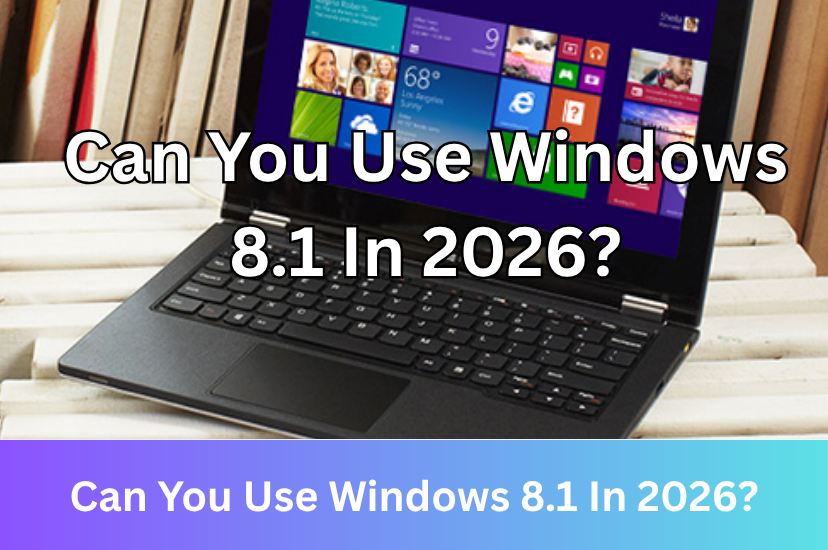
Windows 8 was widely considered a commercial failure. Launched in October 2012, it turned away longtime users by forcing a touch-centric mobile interface onto traditional desktop PCs without providing a way to boot directly to the classic Start Menu. While Windows 8.1 successfully fixed many usability issues introduced by the widely criticised Windows 8, users generally still preferred the older Windows 7 or opted to upgrade to the much more successful Windows 10 when it became available. But, can it still be used today? We will explore the usability of Windows 8.1 in 2026.
Who Still Uses Windows 8.1?
Not many people use Windows 8.1 today. As of May 2026, Windows 8.1 has a tiny market share of around 0.10 to 0.15%, even smaller than Windows 7 and Windows XP. Compared to other Windows versions, Windows 8 had low adoption rates and it was not a popular operating system in the same way as Windows XP, 7, or 10 were. The operating system was mainly optimised for tablets and touchscreen laptops, offering little incentive for traditional keyboard-and-mouse users to switch. Microsoft replaced the familiar Start menu with the Metro Start screen, confusing desktop users and disrupting traditional workflow habits. Corporate and business IT departments also require stable, predictable environments. They mostly skipped Windows 8 and remained on Windows 7 until transitioning directly to Windows 10. Windows 8.1 was released in October 2013 and brought back the start button, allowed users to bypass the tablet-style start screen and boot directly to the desktop, and improved search features. But, the trust in Windows 8 had already been lost.
However, there are definitely some people still using Windows 8.1. Since it has a much smaller system footprint than Windows 10 and 11, it can run faster on older or lower spec computers that struggle with running modern versions of Windows. It remains functional for tasks, like coding, word processing, backing up data, and playing classic games that struggle with modern Windows compatibility layers. Some enthusiasts keep it for dual-boot setups or for media servers. However, the biggest challenge is receiving updates. Since Microsoft ended all support for Windows 8.1 in January 2023, most modern apps, like browsers, have also stopped providing updates for it.
The Software Support
Most apps have stopped supporting Windows 8.1. The compatibility with modern apps is similar to Windows 7 because most apps ended their support for both Windows 7 and Windows 8.1 at the same time. Browsers, like Chrome and Microsoft Edge stopped supporting Windows 8.1 in February 2023, a few weeks after official support from Microsoft ended. Firefox has also stopped providing new features for the browser on Windows 8.1 and it has moved to the extended support release program, which it has extended several times. Support is scheduled to end in August 2026. Other popular utilities, like Zoom, Steam, Dropbox, and OneDrive have also ended their support for Windows 8.1.
You can no longer make new app purchases or download new apps on Windows 8.1. Because Microsoft closed down the servers required to access the Store on Windows 8.1, it will get stuck on loading. While apps you've already installed continued receiving updates until July 2023, publisher updates have largely stopped. While apps you already have installed will generally continue to launch, they lack the latest features and you may encounter technical issues if they rely on the internet. Many of the built-in apps you will find on the Windows 8.1 start menu have stopped working. Because Microsoft retired the Windows 8.1 app infrastructure and the underlying web services, many native applications like Mail, Calendar, Maps, and Weather can no longer connect to the internet to fetch updates.
Despite mainstream browsers and the Microsoft store ending support for Windows 8.1, there are community maintained browsers available. Some independent open-source developers update Chromium and Firefox engines specifically for older systems. Popular modern choices include Supermium and Redfox. With Supermium, Windows 8.1 users can render the latest web standards, sign into Google Accounts for syncing, and install up-to-date Chrome Extensions safely. Redfox is a community-modified variant of modern Firefox optimised to run on Windows Vista, 7, and 8. Because they're community-maintained, updates can be slower than mainstream browsers and smaller communities may struggle to quickly patch vulnerabilities or manage complex browser updates. If you choose to use these browsers, you should always download them directly from the official GitHub repositories.
Security
Windows 8.1 is generally more secure than Windows 7. It features deeper protections against boot-level rootkits by Secure Boot, sandboxed apps, and a fully integrated antivirus out of the box, known as Windows Defender. However, Windows 8.1 is still more vulnerable to viruses and malware than newer versions of Windows or lightweight Linux distributions. Microsoft ended support for Windows 8.1 in January 2023. This means that Microsoft hasn't provided any security updates, bug fixes, or technical assistance for over 3 years. Unlike Windows 7, Microsoft didn't offer an extended security updates program for Windows 8.1 because it wasn't as commonly used as Windows 7.
Since Windows 8.1 no longer receives updates, any vulnerabilities found in the system will remain unpatched. Threat actors often target Windows for viruses and malware and older versions which no longer receive updates are the greatest targets. What makes Windows 8.1 vulnerable is that modern browsers have dropped support for it, so you won't be able to receive any more updates, which can be a security risk if you visit a compromised website. Once malware manages to exploit vulnerabilities in Windows 8.1, it can sit silently in the background, logging keystrokes and capturing sensitive data without ever alerting you.
However, Windows Defender still works on Windows 8.1 and offers basic protection. It continues to provide basic signature updates. Some antivirus programs, like AVG still offer support for Windows 8.1, allowing you to install it to add a layer of protection. This can help remove malware on a Windows 8.1 PC, but it does have some limitations. It will still not fix the vulnerabilities in the operating system itself and it lacks modern security features like cloud-based AI scanning and ransomware protection found in newer Windows versions.
Alternatives To Windows 8.1
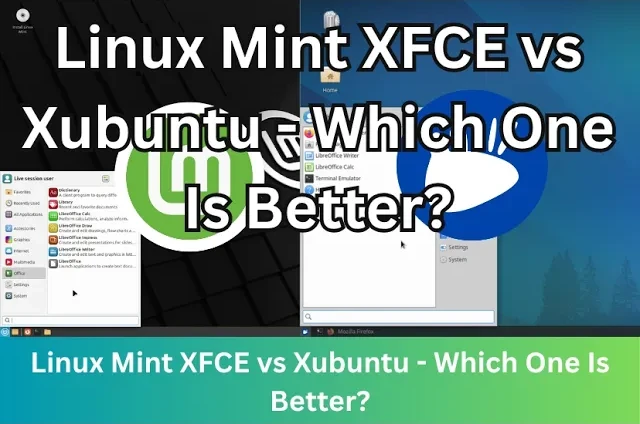
Windows 8.1 can be technically used in 2026, but there are much better alternatives if you're looking to breathe life into Windows 7 or 8 era hardware that can't run newer versions of Windows. There are many lightweight Linux distributions available which can run modern browsers and require much fewer system resources than Windows. If you want to test without wiping your current system, you can boot a Live USB to try it from a flash drive. Linux Mint XFCE is very beginner-friendly and feels familiar to older Windows versions. It can run well on 4 GB RAM or even 2 gigabytes and fully supports Firefox. Lubuntu is one of the lightest mainstream Linux distributions which uses the LXQT desktop. This is even lighter than XFCE and good for computers with 2 to 4 GB RAM. It's slightly less polished, but still fast.
If you have very limited hardware with 1 GB RAM or less or a 32 bit processor, Antix and Puppy Linux are great choices. They use lightweight Window managers instead of full-featured desktop environments. However, they're designed to save as much resources as possible, so the interface can feel a bit rough, and it requires a slight learning curve compared to mainstream distributions like Linux Mint or Lubuntu. Puppy Linux has a tiny footprint and runs from your RAM, making it very fast, but it's less conventional and takes time getting used to. It's mainly designed as a Live USB system. You boot directly from a USB stick or CD, and when you shut down, you choose whether to save your session to a file on that drive.
Comments
About Us
-
We offer guides, tutorials, and reviews about the world of information technology. Whether you're a tech enthusiast, a professional, or a beginner, our goal is to inspire you and guide your tech journey. Subscribe to stay updated with the latest videos and explore the exciting world of computing and information technology.
Recent Articles



Recent Quizzes

Subtopics
Network Services Network Setups Network Standards Network Hardware Network Identifiers Network Software Internet Protocols Internet Organisations Data Transmission Technologies Web Development Web Design Web Advertising Web Applications Web Organisations Web Technologies Web Services SEO Threats To Systems, Data & Information Security Mechanisms & Technologies Computer Hardware Computer Software Ethics & Sustainability Legislation & User Data Protection