Is Tiny11 Worth It?
Date First Published: 31st May 2026
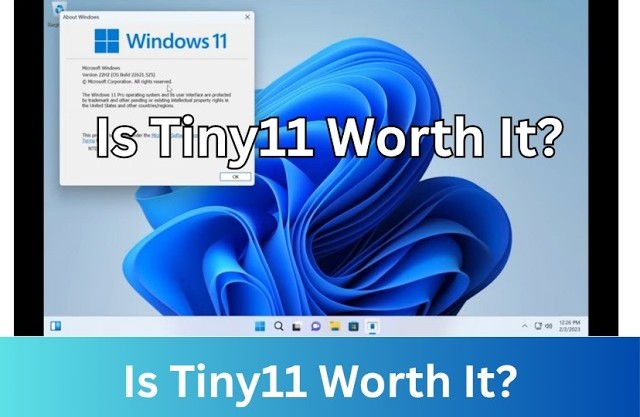
Tiny 11 is a stripped-down, lightweight version of Windows 11 created by NT DEV designed to bypass strict hardware requirements like TPM 2.0 or Secure Boot and run smoothly on older or low-spec PCs. It removes bloatware and telemetry while retaining essential features and the Microsoft Store. We will explore whether Tiny 11 is worth trying.
How Was Tiny11 Developed?
Tiny 11 is not a Linux distribution or an official version of Windows 11 developed by Microsoft. It was developed by a software developer known as NT DEV, as a successor to his similarly stripped-down Windows 10 modification, Tiny10. His goal was to strip out bloatware, telemetry, and strict hardware restrictions like TPM 2.0 to allow older or less powerful PCs to run Windows 11 smoothly. Using DISM, NT DEV carefully stripped away non-essential built-in apps, the Xbox network layer, Microsoft Edge, Teams, and the Windows Component Store, which significantly reduced the operating system footprint. Since the days of Windows Vista, Windows has been a highly modular operating system. NT DEV used Microsoft's Component-Based Servicing and the Deployment Image Servicing and Management tool to dismantle official Windows 11 ISOs.
Pros Of Tiny11
Tiny 11 significantly strips down the system requirements. It can run on computers with as little as 2 gigabytes of RAM and skips system requirements, like TPM 2.0 and Secure Boot. This enables it to run on computers that don't officially meet the Windows 11 system requirements. Compared to over 25 gigabytes required by standard Windows 11 installation, Tiny 11 only requires around 10 gigabytes. This is because it removes many unwanted pre-installed apps, like Copilot, OneDrive, Edge, and Microsoft Teams. It also skips the criticised online Microsoft account creation, which allows for quick local account setup.
Cons Of Tiny 11
When using Tiny 11, an issue you may experience is the lack of official updates. Generally, you cannot update Tiny 11 using the standard Windows Update process. Because Tiny 11 is a heavily stripped-down custom version of Windows 11, core servicing components and update features are intentionally removed or disabled to save space and resources. If a newer version of Tiny 11 is released by the developer, you will need to perform a clean install or do an in-place upgrade using the new ISO to get the latest features. You can track and download the latest releases of Tiny 11 directly from the Tiny 11 GitHub Reposit.
Many business, gaming, and productivity applications rely on built-in Windows components and security features. Removing core services can sometimes cause unexpected errors or crashes when trying to install specific games or third-party apps. Because these are stripped out of Tiny 11, some apps may fail to install or run properly. Tiny 11 is also developed by a third-party developer rather than Microsoft. Some users wouldn't trust running a modified installation file, especially for handling sensitive or financial data because they cannot fully verify which code has been changed or added under the hood. Downloading operating systems from sources you don't know carries a risk of malware or data exposure.
Tiny 11 Core
Tiny 11 is designed as a lightweight alternative to stock Windows 11 for use on older or lower-end hardware, while Tiny 11 Core is a very stripped-down version meant strictly for virtual machines, testing, and development. Tiny 11 retains standard Windows features, whereas Tiny 11 Core sacrifices core system serviceability for a drastically reduced disk footprint.
Tiny 11 includes the Microsoft Store, Calculator, Notepad, Paint, and Xbox integration, but drops bloatware and telemetry. Tiny 11 Core heavily compresses and removes core components, including the Microsoft Store, Microsoft Edge, Windows Updates, Windows Defender, which make it impossible to install updates, access advanced recovery tools, or use native antivirus protection. It cuts the operating system installation size from 20 gigabytes to 3 gigabytes. The creator explicitly states that Core has limited security and should not be used as a daily operating system. Instead, it's strictly for development, testing or virtual machines.
Alternatives To Tiny11
Tiny 11 can be a great tool for reviving older, incompatible computers. It strips away massive amounts of bloatware and removes the strict hardware checks allowing it to run comfortably on systems with as little as 2GB of RAM, but it does carry some security and stability risks that can make it impractical for everyday use. Tiny 11 is an unofficial, modified operating system. Because the ISO image is created by a third-party developer, there is a risk of bugs and you may run into issues with certain programs or future updates.
For most unsupported hardware, a lightweight Linux distribution is often a better choice than Tiny 11 due to better security, long-term stability, and more active hardware support. Linux distros often use even fewer system resources than Tiny 11 and they natively include thousands of older drivers out-of-the-box. They provide continuous, free updates, so you won't face system updates from Microsoft frequently break operating components or bloat the system back up. However, Tiny 11 remains the better option if you critically depend on Windows-only applications. It retains full compatibility with native Windows apps, drivers, and anti-cheat PC games.
Comments
About Us
-
We offer guides, tutorials, and reviews about the world of information technology. Whether you're a tech enthusiast, a professional, or a beginner, our goal is to inspire you and guide your tech journey. Subscribe to stay updated with the latest videos and explore the exciting world of computing and information technology.
Recent Articles

Recent Quizzes
Subtopics
Network Services Network Setups Network Standards Network Hardware Network Identifiers Network Software Internet Protocols Internet Organisations Data Transmission Technologies Web Development Web Design Web Advertising Web Applications Web Organisations Web Technologies Web Services SEO Threats To Systems, Data & Information Security Mechanisms & Technologies Computer Hardware Computer Software Ethics & Sustainability Legislation & User Data Protection