Linux Mint vs Debian - Which One Is Better?
Date First Published: 29th June 2026
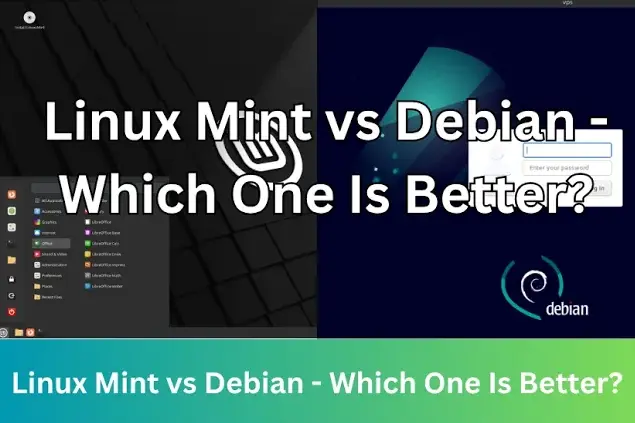
Choosing between Linux Mint and Debian depends on whether you value out-of-the-box convenience or solid, long-term stability. We will cover user-friendliness, stability, and hardware support to show you exactly which distribution to install. This comparison explores the differences between the classic Ubuntu-based Linux Mint and Debian, and how Linux Mint Debian Edition fits into the picture.
Ease Of Use & Drivers
Linux Mint is generally much more beginner-friendly than Debian out of the box. It's designed for beginners and most everyday desktop users. It comes fully equipped with all the proprietary drivers, multimedia codecs, and essential daily applications like Firefox and LibreOffice. It installs flawlessly on most laptops and desktops, with built-in tools for managing proprietary drivers, like graphics cards, and media files.
Debian acts as a highly customisable, minimalist foundation that requires more technical setup and manual configuration for hardware and proprietary drivers. Unlike Linux Mint, it doesn't usually work instantly after installation. You often have to manually configure repositories and install drivers and codecs to play media or use Wi-Fi. Because of its higher learning curve, it's better suited to experienced users and developers who prefer a blank canvas and total control.
Software Manager
Linux Mint features the Software Manager, a graphical app store that includes native packages and Flatpaks, allowing you to easily browse and install apps. The interface is visually engaging and features screenshots, user ratings, and curated categories, and it blocks Ubuntu's snap packages by default.
Debian uses the apt command-line package manager and relies on Synaptic, a basic graphical interface. Since Debian prioritises stability, the software in its core repositories is often older and thoroughly tested. The debian package managers are functional, but they focus more on lists rather than visuals. The package management shares the same root syntax. Both distros use deb files and the apt command-line tool.
Desktop Environments
Linux Mint gives you three choices of desktop environments, which have been customised with custom system tools, integrated icon sets, and automated software update settings to make it feel familiar if you're switching from Windows or macOS. You can choose between Cinnamon, mate, or XFCE. Cinnamon is the default desktop environment and is feature-rich with applets, tools specific to Linux Mint, and an integrated system settings menu. Mate features a traditional two-panel layout and is based on the older gnome 2 architecture. It sits in the middle ground between Cinnamon and XFCE in terms of resource usage. XFCE is the lightest and fastest edition of Linux Mint. It avoids heavy graphical effects and requires fewer system resources, making it the best choice for reviving older computers or low-spec hardware.
Debian takes a minimalist approach, treating desktop environments as optional packages. During installation, you're asked to choose what you want. You can natively install gnome, KDE Plasma, XFCE, LXQt, mate, or Cinnamon. Debian provides these desktops exactly as their developers intended, with no unique branding or custom management tools. This gives you a blank canvas to build your desktop exactly as you want without pre-installed clutter.
Stability
Both distributions are generally stable, but they define stability differently. Debian uses deeply tested, older software for resistance to system crashes. Standard Linux Mint is based on Ubuntu long term support, prioritising predictability, newer features, and plug-and-play driver support. Debian Stable is known for its conservative update policy. It only includes software that has passed a rigorous, slow testing process and software receives security fixes, but rarely new features. Once installed, it rarely breaks, making it ideal for critical environments and older hardware. However, packages and kernels are older. Getting the absolute latest software requires using Flatpaks or manual tweaking.
Standard Linux Mint relies on the Ubuntu Long Term Support base. It adds the Mint team's custom polish, user-friendly tools, and frequently updated drivers, providing great out-of-the-box hardware compatibility, modern applications, and easier software installation for beginners. Because Mint updates software and kernels more frequently than Debian, there is a slightly higher chance of encountering minor bugs during major system updates. What About LMDE?
Regular Linux Mint is based on Ubuntu, offering good software support and easy driver installations. The Mint team also produces Linux Mint Debian Edition, which is a hybrid of both. It provides the polished Mint desktop experience and runs on top of a pure Debian Stable base, though it requires more technical knowledge to configure. It essentially offers the best of both worlds for experienced users who want Debian's backend with Mint's interface. Both come with native applications like Timeshift for system backups, Warpinator for file sharing, and the software manager, and you can customise the desktop environment.
Which Should You Choose?
If you're transitioning from Windows or prefer a ready-to-use desktop environment without spending hours configuring the system Linux Mint is a better choice. It's an ideal, beginner-friendly operating system that works right out of the box with minimal configuration.
If you're a power user or developer who values deep system stability, security, and absolute control over your operating system, Debian is the better choice. While Linux Mint provides a tailored environment optimised for everyday users, Debian serves as a universal operating system used for everything from desktop computers to massive servers. Under the hood, Linux Mint is heavily linked to Debian, as its main edition is built on top of Ubuntu, which itself is derived from Debian.
If you're unsure between the two choices, the Mint project provides an alternative variant called Linux Mint Debian edition which completely strips out Ubuntu. It looks almost identical to regular Linux Mint but it inherits Debian’s slower software cycle and lacks Mint's automated driver utility tools. It exists as a secondary backup option for the development team so that the experience can continue if anything happens to Ubuntu's development.
Comments
About Us
-
We offer guides, tutorials, and reviews about the world of information technology. Whether you're a tech enthusiast, a professional, or a beginner, our goal is to inspire you and guide your tech journey. Subscribe to stay updated with the latest videos and explore the exciting world of computing and information technology.
Recent Articles


Recent Quizzes
Subtopics
Network Services Network Setups Network Standards Network Hardware Network Identifiers Network Software Internet Protocols Internet Organisations Data Transmission Technologies Web Development Web Design Web Advertising Web Applications Web Organisations Web Technologies Web Services SEO Threats To Systems, Data & Information Security Mechanisms & Technologies Computer Hardware Computer Software Ethics & Sustainability Legislation & User Data Protection